Imagine this: You’re sitting in a café in Lisbon or a co-working spot in Chiang Mai, sipping coffee and getting hard work done. No boss looking over your shoulder. No long commute. Just you, your laptop, and freedom.
That’s the digital nomad dream.
But here’s the part nobody talks about enough — having a workspace that works. Not just a pretty shot for Instagram, but an actually functioning setup that allows you to focus without back pain and hit your deadlines from anywhere.
The good news? You don’t have to drop thousands to create your own.
This guide unpacks 7 tried-and-true digital nomad budget workspace setups that are practical but not pricey, and most importantly flexible enough to work for you — whether you’re couch surfing or living in a month-long apartment rental.
Let’s get into it.
Why Your Workspace Setup Matters More Than You May Realize
One thing that most people starting out as digital nomads overlook is that your environment plays a direct role in your productivity. Bad setups cause neck pain, eye strain, slow internet struggles, and distracted work sessions. Over time, these small problems accumulate to produce missed deadlines and burnout.
A smart workspace setup fixes all of that — and it won’t trash your travel budget.
The aim is straightforward: create a workspace that is portable, comfortable, and reliable for as little money as possible.
A Quick Overview of the 7 Ideas
- Setup Idea #1: The Minimalist Carry-On Kit
- Setup Idea #2: The Café Warrior Setup
- Setup Idea #3: Budget-Friendly Co-working
- Setup Idea #4: Best Ergonomic Setup on a Smaller Budget
- Setup Idea #5: The Internet Backup Plan
- Setup Idea #6: The Airbnb and Rental Room Hack
- Setup Idea #7: The Free and Cheap Digital Tools Stack
Setup Idea #1: The Minimalist Carry-On Kit
This is the first and most popular digital nomad budget workspace setup. The concept is simple: only bring what you absolutely need, and make every item do the work.
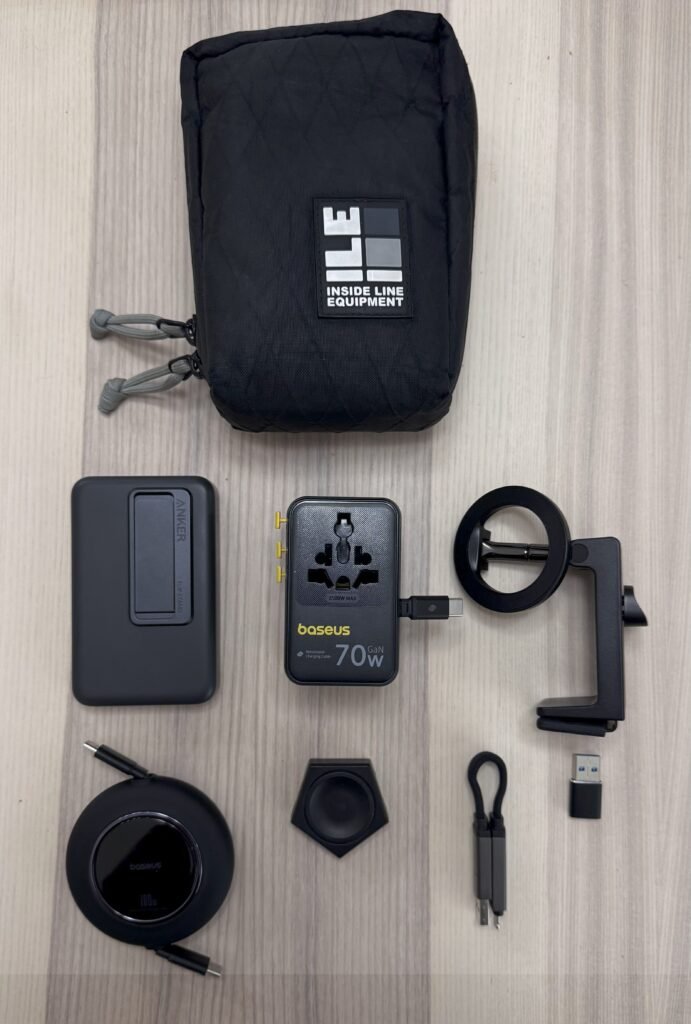
A desk, a dual monitor, and a gaming chair don’t make you productive. Most full-time nomads work off only three or four accessories in addition to their laptop.
The Basics You Really Need
Laptop stand — The single smartest investment you can make. It raises your screen to eye level, which alleviates neck strain right away. Foldable aluminum stands can be found for $15–$30 on Amazon or your local electronics markets.
Compact wireless keyboard and mouse — Your laptop screen is elevated on a stand, so you need a separate keyboard. A decent combo (keyboard + mouse) costs around $20–$35. Opt for slim, foldable options that tuck into any bag.
Noise-cancelling earbuds or headphones — To block out noise and distractions at your café of choice. You don’t need AirPods Pro. Budget earbuds with decent noise isolation run $20–$50.
Portable USB hub (optional, but smart) — Lets you connect several devices to a single USB-C port. An entry-level 4-port hub runs $10–$15.
Total Budget Estimate: $65–$130
| Item | Budget Option | Approx. Cost |
|---|---|---|
| Laptop stand (foldable aluminum) | Amazon Basics or similar | $15–$30 |
| Keyboard + mouse combo | Logitech MK270 or similar | $20–$35 |
| Noise-cancelling earbuds | Soundcore by Anker | $25–$50 |
| USB hub (4-port) | Generic USB-C hub | $10–$15 |
| Total | $70–$130 |
What to Leave Behind
Unless you are going to be in one place for over a month, do not pack an external monitor or a full-size keyboard. Every extra pound costs you in airline fees and physical energy.
The no-frills kit is the backbone of every smart digital nomad budget workspace setup.
Setup Idea #2: The Café Warrior Setup
Some digital nomads don’t purchase a single piece of office furniture. They work entirely from cafés. Done right, this is one of the least expensive workspace strategies out there — but there’s an art to it.
Picking the Right Café
Not every café is work-friendly. Here’s what to look for:
- Robust, dependable WiFi (check it before you order)
- Power outlets near seating
- Reasonable working hours, not too loud
- Room to spread out your gear
Apps such as Workfrom, Café WiFi, and The Caféist point you to work-friendly venues around the world. Many are free to use.
The Unwritten Code for Working in Cafés
Respect the space. Buy something every 1–2 hours. Tip well. Don’t hold a table for hours during rush times. These unwritten rules keep you welcome.
Certain cafés in popular nomad cities — think Medellín, Tbilisi, or Canggu — are completely designed for remote workers. They’ve got faster internet than many co-working spaces and no extra fees.
How to Make the Most of a Five-Dollar Coffee Budget
You need to buy one item roughly every two hours. Most café workers spend $3–$8 a day, compared to co-working memberships that cost $100–$300 per month. Café working is essentially free, making it a cornerstone of any savvy digital nomad budget workspace plan.
Setup Idea #3: Budget-Friendly Co-working
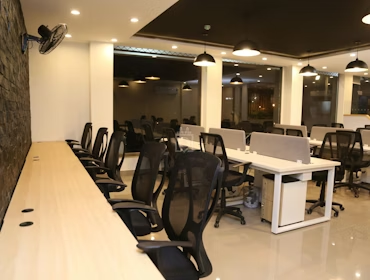
Co-working spaces have a reputation for being pricey. But there are smart ways to access them without paying full price.
Day Passes vs. Monthly Memberships
Most co-working spaces provide day passes that cost around $10–$25. If you only need a workspace once or twice a week, day passes tend to be cheaper than monthly memberships.
Monthly memberships generally cost $80–$250 depending on your city. In Southeast Asia — Chiang Mai, Bali, and Ho Chi Minh City — solid options range from $50–$100 per month.
How to Find Deals
Coworker.com is for co-working what Airbnb is for travelers. It lists spaces worldwide with real prices and reviews. Most have trial days or discounted first-week passes.
Search your city + “co-working day pass” for local options not listed on the bigger sites.
Hostels with co-working spaces are a diamond in the rough. Places like Selina and Base feature hostel-adjacent workspaces that run $10–$15 per day — sometimes including breakfast.
When Co-working Is Worth It
- You have a major deadline approaching
- You need a professional environment for a video call
- Café WiFi has been unreliable
- You’re feeling isolated and need energy from others
When used strategically, co-working fits neatly into a digital nomad budget workspace plan without breaking the bank.
Setup Idea #4: Best Ergonomic Setup on a Smaller Budget
Here’s what gets overlooked in most nomad guides: your body is the most important piece of gear. Neglecting ergonomics results in neck pain, wrist strain, and chronic back issues that can knock you off the lifestyle completely.
The good news is that you can build an ergonomic workspace for less than $80.
The Three Ergonomic Non-Negotiables
Eye-level screen — Your laptop monitor should be at or slightly below eye level. A stand fixes this instantly. If your Airbnb doesn’t have one, stack hardcover books under your laptop. Seriously — it works.
Wrists parallel to the desk — A wireless keyboard keeps your wrists in a neutral position. Typing on a raised laptop keyboard for hours causes strain that a $20 keyboard solves.
Feet flat on the floor — Sit so your knees are at 90 degrees. If the chair is too high, use your laptop bag or a folded blanket as a footrest. Free solutions work just as well.
Quick Ergonomic Fixes That Cost Nothing
- Angle your laptop screen to cut glare
- Take a 5-minute break every 45 minutes — stand up and stretch
- Change positions multiple times during the day
- Use your laptop bag behind your back for lumbar support in soft chairs
Ergonomics offers the highest return on investment of any digital nomad budget workspace element. Ignoring it is how nomads burn out physically.
Setup Idea #5: The Internet Backup Plan
Fast, reliable internet is the lifeblood of any digital nomad. Without it, you can’t work. The issue isn’t getting online — it’s staying reliably online. Cafés have outages. Airbnb routers go down. Hotel WiFi chokes when everyone logs on at 7 PM.
The answer is a layered backup plan that doesn’t cost much.
Layer 1 — Your Primary Connection
Use whatever the accommodation or café provides. This is free.
Layer 2 — A Local SIM Card
Buy a local SIM card upon arrival. In most countries, data is remarkably cheap:
| Country | Local Data Cost | Monthly Allowance |
|---|---|---|
| Thailand | $8 | 30 GB |
| India | $3 | 1.5 GB/day |
| Mexico | $10 | 20 GB |
| Portugal | $12 | 20 GB |
| Indonesia | ~$7 | 25 GB |
A local SIM doubles as your mobile hotspot backup when the primary connection goes down.
Layer 3 — A Global eSIM
Frequent country-hoppers should consider a global eSIM like Airalo or Holafly. Plans range from about $5–$15 for continental data. You activate it digitally — no physical card required.
That three-layer system keeps you connected nearly anywhere for $15–$40 a month.
Speed Test First
Before settling in to work at any new location, run a speed test at fast.com or Speedtest.net. Most remote jobs require download speeds above 15 Mbps. Below 5 Mbps, switch to your backup.
An internet backup plan is non-negotiable in any digital nomad budget workspace strategy — because going offline mid-client call will cost you far more than a $10 SIM card.
Setup Idea #6: The Airbnb and Rental Room Hack
Renting an apartment or Airbnb for a month gives you a dedicated space to work in — and you can build a proper temporary home office for almost no extra cost.
The “Desk Audit” Trick
When you arrive at any rental, conduct a quick desk audit. Look for:
- A table near a window (natural light reduces eye strain)
- A chair with back support
- An electrical socket within arm’s reach
- Good natural or artificial lighting
Most Airbnbs have everything you need. You just have to configure it with intention.
Optimizing the Lighting
Bad lighting causes eye strain and headaches. Here’s the priority order:
Natural light is best. Position your desk to face a window, not with the window behind you (that creates glare on your screen).
If natural light isn’t enough, grab a small LED desk lamp. Budget versions run $8–$15 at local stores or on Amazon. A ring light for video calls also works as desk lighting and runs $15–$25.
Turning Any Room Into an Office
Small tweaks that have a big mental impact:
- Clear the desk and remove personal clutter
- Set up your laptop stand and keyboard before sitting down
- Store your bag out of the floor space around your work area
- Put on your headphones as a mental cue: “I’m in work mode now”
These actions trigger what psychologists call environmental cueing — your brain associates the physical arrangement with focused work. It’s free, and it works.
When to Get a Rental Instead of Always Hopping Cafés
Staying put for 2–4 weeks is usually cheaper per day than moving around frequently. A stable home base yields better work space and better sleep — both of which improve your output.
The Airbnb hack gives your digital nomad budget workspace a real office feel without spending a cent on furniture.
Setup Idea #7: The Free and Cheap Digital Tools Stack
Your physical workspace is only part of the story. The software you use can drain your budget — or cost practically nothing.
Most digital nomads starting out overspend on tools. They subscribe to five project management apps when one would do. They pay for cloud storage when free tiers are more than sufficient.
Here’s a lean digital tools stack that costs next to nothing:
Productivity and Communication
| Tool | What It Does | Cost |
|---|---|---|
| Notion | Notes, projects, wikis | Free |
| Trello | Task boards | Free |
| Slack | Team messaging | Free (basic) |
| Zoom | Video calls | Free (40-min limit) |
| Google Meet | Video calls | Free |
| Linear | Task tracking | Free (personal) |
File Storage and Backup
| Tool | Free Storage | Paid Option |
|---|---|---|
| Google Drive | 15 GB | From ~$3/month |
| iCloud | 5 GB | $0.99/month |
| pCloud | 10 GB | From $4.99/month |
| Dropbox | 2 GB | From $9.99/month |
For the average solo nomad, 15 GB of Google Drive is more than enough. Back up your most important files there daily.
Writing and Design
- Google Docs — Full word processor, free
- Canva — Graphic design with a generous free tier
- Hemingway App — Writing clarity tool, free in browser
- Grammarly — Free tier handles most needs
Finance and Invoicing
- Wave — Accounting and invoicing, free
- Wise — International money transfers, minimal fees
- PayPal — Free to sign up, for receiving payments
VPN (Important for Security)
A VPN protects your data on public WiFi. Proton VPN has a completely free tier. Windscribe gives 10 GB per month for free. Paid options offer unlimited data for $3–$5/month.
The free tools stack proves that you don’t need expensive software subscriptions to run a world-class digital nomad workspace.
How to Mix and Match These 7 Ideas
The best part of a smart digital nomad budget workspace strategy is that you don’t have to pick just one approach. You mix them depending on where you are and what you need.
Here’s how a typical real-world week might look for a budget-minded nomad:
Monday — Work from the Airbnb desk with the minimalist kit. Stable connection, quiet, no cost.
Tuesday — Morning deep work at the Airbnb. Switch to a work-friendly café in the afternoon. Spend $6 on two drinks.
Wednesday — Big client video call. Purchase a co-working day pass ($12) for a professional environment and fast WiFi.
Thursday — Back to the Airbnb. WiFi cuts out mid-morning. Switch to mobile hotspot. Problem solved.
Friday — Finish the week from a neighbourhood café. $5 budget.
Total workspace costs for the week: approximately $23.
This mix-and-match approach keeps your costs down and your setup flexible — which is exactly how a digital nomad budget workspace strategy should work.
Common Mistakes Nomads Make With Their Workspace
You can save yourself money and headaches by learning from others’ mistakes. These are the most frequent traps.
Overpacking gear. New nomads often take too much — second screens, full-size keyboards, heavy laptops. After a month, most of it gets sent home.
Relying on a single internet source. This always catches you off guard. Always have a backup plan (see Setup Idea #5).
Skipping ergonomics. Long-term nomads consistently cite neck and back pain as their biggest complaint. A $20 stand and a $20 keyboard can prevent months of discomfort.
Paying for tools you don’t use. Do a monthly audit of your software subscriptions. Cancel anything you haven’t used in two weeks.
Choosing accommodation based purely on price, not workspace quality. A room that’s $5 cheaper per night with a terrible desk will cost you far more in lost productivity.
Common Questions About Digital Nomad Budget Workspace Setups
Q: What’s the minimum budget to set up a workspace as a digital nomad? If you already have a laptop, you can get started for as little as $50–$80. A foldable stand, a budget keyboard, and free software tools are all you need. Many nomads have a full setup for under $100 in total gear costs.
Q: Are co-working spaces worth it for budget digital nomads? Yes — occasionally. Use a day pass for big calls, deadline crunch days, or when you need really fast internet. A day pass ($10–$25) is cheaper than a full membership if you only need it a few times a month.
Q: Where can I find reliable internet as a digital nomad? Use the three-layer approach: primary WiFi, a local SIM card as a hotspot, and a global eSIM as a last resort. Always speed-test a venue before doing serious work. This setup runs about $15–$40 a month.
Q: Do I actually need noise-cancelling headphones? Not necessarily. Budget nomads generally use basic earbuds with a good seal. They block enough noise to maintain focus in cafés. True noise-cancelling is a comfort upgrade, not a necessity.
Q: What are the best free tools for working productively as a remote worker? Notion, Google Docs, and Trello cover most productivity needs for free. For communication, Slack (free tier) and Google Meet replace almost all the paid tools most nomads think they need.
Q: How do I turn an Airbnb into a genuine workspace? Clear the desk, set up your stand and keyboard, sit near a window, and put on headphones to signal “work mode” to your brain. These five-minute actions improve focus significantly and cost nothing.
Q: Which countries have the cheapest and fastest internet for digital nomads? Thailand, Romania, South Korea, Georgia, and Portugal score well on both speed and affordability. Southeast Asia and Eastern Europe are generally great for nomads on a budget.
The Bottom Line
Building a budget workspace as a digital nomad is far simpler than most people assume.
A $15 laptop stand does more for your productivity and comfort than a $500 ergonomic chair you’ll forget about in six weeks. Free tools like Notion and Google Docs handle everything most nomads need. A $10 local SIM card beats expensive global data plans every time.
The seven ideas in this guide — the minimalist kit, café working, budget co-working, ergonomic essentials, internet backup, rental room hack, and free tools stack — form a complete system.
Start with whatever your budget allows right now. Add pieces as you go. Within a few months, you’ll have a workspace that feels professional, keeps you comfortable, and costs far less than most people think is possible.
The nomad lifestyle is genuinely freeing. And it doesn’t have to break the bank.
Do you have a workspace tip that’s worked for you on the road? Some of the best setups come from real experience — and every nomad’s setup looks a little different.